Important information to ensure you receive our emails
Many web-based email providers have automatic spam filtering which may prevent our emails to you from appearing in your inbox.
GMail
1. Login to your GMail account
2. Click on the 'Settings' option in the top right menu

3. Click on the 'Filters' tab and the 'Create a new filter' link

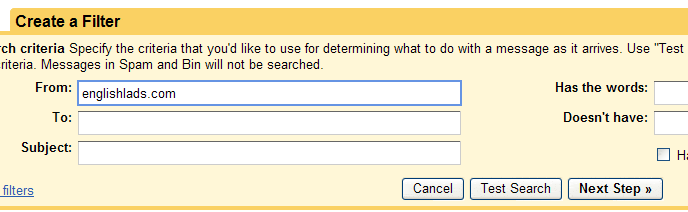
4. In the 'From:' field enter 'englishlads.com', then click on 'Next Step »'
5. Check the box 'Never send it to Spam', then click 'Create Filter'
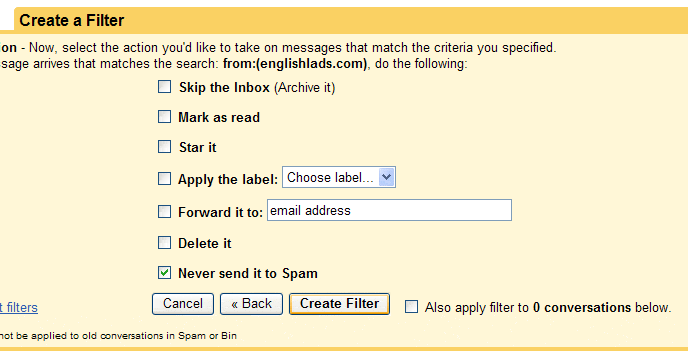
Your email service should now accept emails from englishlads.com.
|
|
Subscribe to our newsletter
Receive an email when new content is added
|
|