Important information to ensure you receive our emails
Many web-based email providers have automatic spam filtering which may prevent our emails to you from appearing in your inbox.
Yahoo
1. Login to your Yahoo account
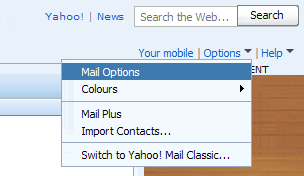
2. Click on the 'Options' dropdown in the top right menu, and select 'Mail Options'
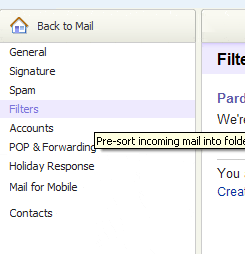
3. Click on the 'Filters' link
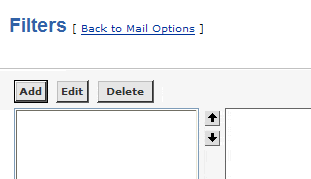
4. Click on the 'Add' button
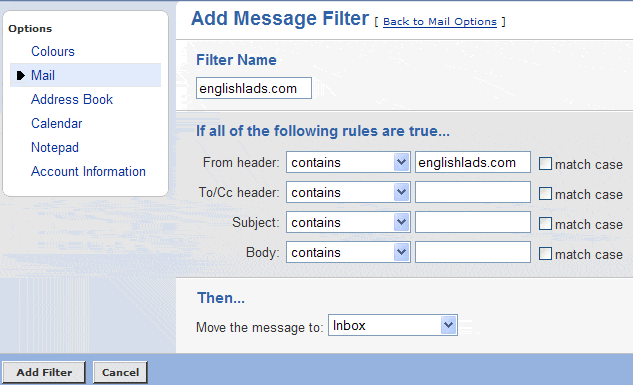
5. Enter 'englishlads.com' in the 'Filter Name' field, and the 'From header:' field. Choose the action 'Then.. Move the message to: Inbox'. Click on the 'Add Filter' button.
Your email service should now accept emails from englishlads.com.